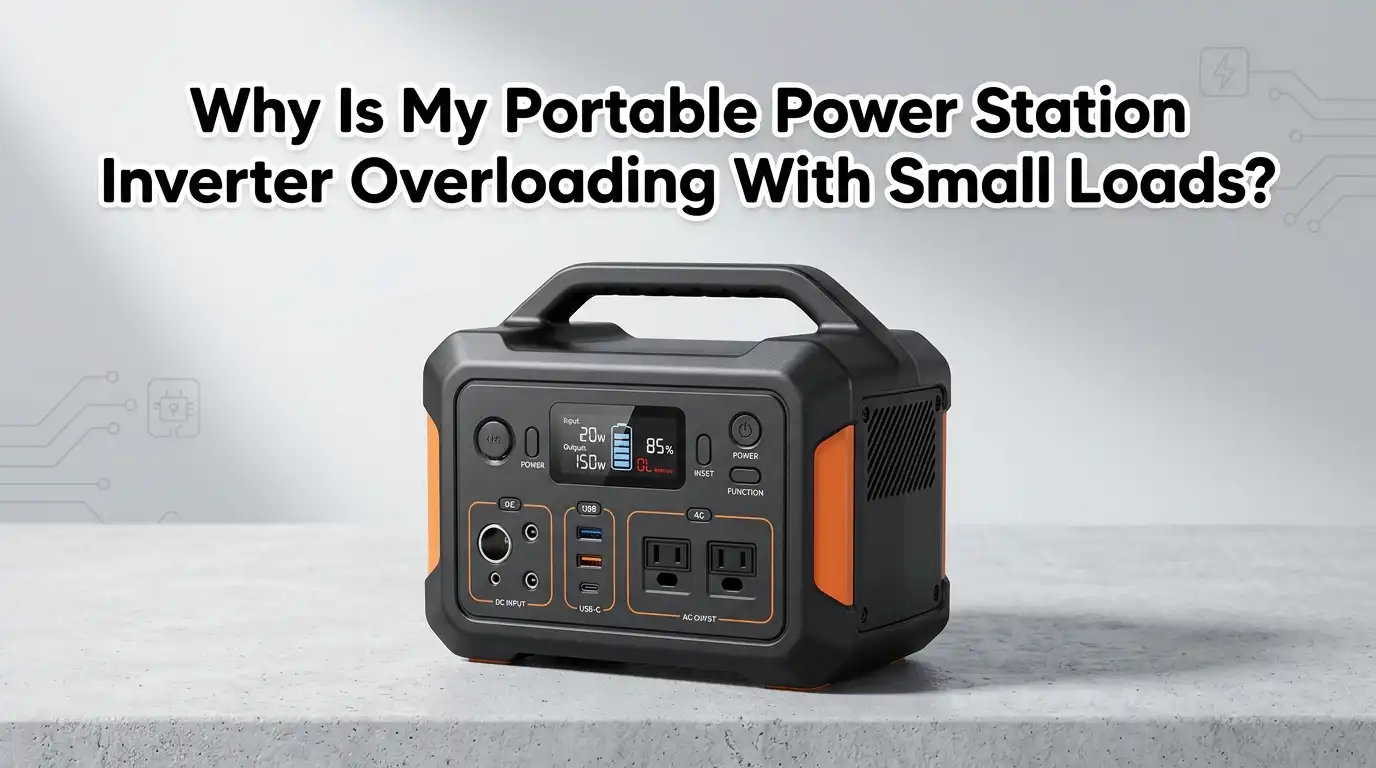
Why Is My Portable Power Station Inverter Overloading With Small Loads?
You plug in a small desk fan that draws only 50 watts, and your power station shuts down with an angry overload warning.
Meanwhile, your 2000 watt rated unit handled a hair dryer just fine yesterday. This feels confusing and frustrating. You did the math and your load is nowhere near the rated limit. So why does the inverter act like you plugged in a welding machine?
This problem is more common than most users realize. Small appliances can trigger overload protection because of hidden electrical behaviors that do not show up on a simple wattage label.
Key Takeaways
- Startup surge is often the real culprit. Motor driven appliances like small fans, mini fridges, and power tools can briefly pull 3 to 7 times their listed running wattage during the first few seconds of operation. Your power station sees this spike and trips overload protection even though the steady running load looks tiny on paper.
- Low power factor makes the inverter work harder than the watt label suggests. Appliances with motors or inductive components demand more apparent power (measured in volt amperes) than their watt rating indicates.
- Battery voltage sag can falsely trigger overload warnings. When your power station battery is cold, old, or low on charge, the voltage drops under load. The inverter interprets this voltage collapse as an overload condition and shuts down to protect itself, even if the connected device is well within the rated wattage.
- Poor cables and loose connections create resistance that mimics overload. Long, thin extension cords or loose AC terminals increase electrical resistance. This resistance causes a voltage drop at the appliance end, which forces the inverter to push more current to compensate.
Understanding How Your Power Station Inverter Actually Works
Your portable power station contains an inverter that converts DC battery power into AC household power. This is the same type of electricity that comes from your wall outlets at home.
The inverter has two important ratings: continuous power and surge power. Continuous power is what the unit can deliver for hours without overheating. Surge power is a short burst capacity that lasts only a few seconds.
Most quality units can handle a surge of roughly double the continuous rating for a fraction of a second. But here is the catch: if your small appliance pulls a startup surge that lasts longer than the inverter’s surge window, protection kicks in. The inverter does not care that your label says 50 watts. It only cares about the real time current flowing through its circuits at any given moment.
Pros of understanding this difference: You can match appliances to your unit more accurately and avoid unnecessary shutdowns.
Cons of ignoring this difference: You will keep tripping the inverter and may eventually damage internal components through repeated stress.
The Hidden Power of Startup Surges With Small Motor Loads
Small appliances with motors are the number one cause of mystery overloads. A tiny desk fan, a mini refrigerator, a portable air compressor, or even an electric shaver can pull a massive spike of current the moment it starts spinning. This spike can reach 3 to 7 times the normal running wattage.
For example, a mini fridge labeled 80 watts running might pull 400 to 560 watts for the first two seconds. If your power station has a surge rating of 400 watts and the spike lasts longer than the surge window, the overload alarm sounds. The appliance is small, but its startup behavior is anything but.
Pros of using a soft start device: These small add-on gadgets gently ramp up power to the motor instead of slamming it with full voltage.
They can cut startup current by up to 70 percent.
Cons of soft start devices: They add cost and require proper matching to your specific appliance. Not all portable power stations support external soft starters easily.
Why Power Factor Causes False Overload Alarms
Power factor is a measurement of how efficiently an appliance uses electricity. A simple resistive load like a toaster has a power factor close to 1.0. But appliances with motors or transformers often have power factors between 0.5 and 0.8. This means the inverter must handle more apparent power than the wattage label suggests.
A small pump labeled 100 watts with a power factor of 0.6 actually demands about 167 VA from your inverter. If your power station is rated at 150 watts continuous, the math says you are safe.
But the hidden VA demand pushes you over the edge. The inverter sees the real current draw and reacts accordingly. The label lied to you, but not on purpose. It simply does not tell the full story.
Pros of using a plug in power meter: A simple meter shows you real time watts, VA, and power factor so you know exactly what your inverter faces.
Cons of relying only on appliance labels: You stay blind to the actual electrical behavior and keep tripping the overload protection without understanding why.
Battery Health and Voltage Sag Under Load
Your power station battery might show a full charge on the display, but its ability to deliver power under load depends on its internal health. As batteries age or operate in cold temperatures, their internal resistance increases. When a load hits, the voltage sags more than the inverter expects.
If the DC input voltage to the inverter drops below a safe threshold during a surge, the inverter interprets this as an overload and shuts down.
This can happen even with a small load that would be fine on a healthy, warm battery. Cold weather makes this problem much worse. Lithium batteries perform poorly below freezing, and lead acid batteries lose significant capacity in the cold.
Pros of keeping batteries warm and well maintained: You get stable voltage delivery and fewer false overload trips.
Cons of ignoring battery condition: You experience random shutdowns, reduced runtime, and eventual permanent capacity loss.
Extension Cords, Cable Quality, and Hidden Resistance
The humble extension cord is a silent saboteur. A long, thin cord adds resistance to the circuit. This resistance causes a voltage drop at the appliance end. To compensate and deliver the needed power, the inverter pushes more current through the system.
That extra current can cross the overload threshold even when your appliance is well within the rated wattage of your power station.
The same problem occurs with loose or corroded connections at the AC outlet, the plug, or anywhere along the wiring path. Resistance creates heat, and heat creates more resistance. It is a vicious cycle that ends with the inverter crying overload.
Pros of using short, thick gauge extension cords: You minimize voltage drop and keep current draw within expected limits.
Cons of using long, thin cords: You waste energy as heat, stress the inverter, and risk unnecessary shutdowns.
Temperature, Ventilation, and Thermal Derating
Inverters generate heat when they work. They also lose efficiency as ambient temperature rises. A common rule is that for every 10 degrees Celsius above the rated temperature, the inverter loses about 5 percent of its effective capacity.
If your power station sits in direct sun on a 40 degree Celsius day, a unit rated for 500 watts might only safely deliver 450 watts before thermal protection engages.
That small desk fan plus a laptop charger might now be enough to push it over the edge. Dust clogged vents and blocked air intakes make this thermal problem even worse by trapping heat inside the enclosure.
Pros of placing your station in shade with open airflow: You maintain full rated capacity and reduce the risk of heat related overloads.
Cons of running in hot, enclosed spaces: You effectively reduce your power station’s usable wattage and shorten component lifespan.
When the Issue Is Internal: Sensors, Firmware, and Hardware Faults
Sometimes the problem lives inside the power station itself. A miscalibrated current sensor can report higher current than what is actually flowing. A firmware bug can trigger a false overload flag under specific conditions. A failing capacitor or a loose internal connection can create erratic current readings.
If you experience overload warnings with zero load connected or with a known good device that works fine on other power sources, suspect an internal fault.
A full system reset often clears temporary software glitches. For persistent issues, check if a firmware update is available from the manufacturer. If neither helps, the unit may need professional inspection.
Pros of performing a reset and firmware update: You might fix the problem in minutes without any cost.
Cons of ignoring internal faults: The inverter may eventually suffer real hardware damage if protection circuits are not working correctly.
How to Diagnose Your Overload Problem Step by Step
Start by unplugging everything from the power station. Let the unit rest for one full minute with the AC output switched off. This allows the inverter to cool and reset any protection circuits. Next, turn on the AC output with nothing connected. If the overload warning appears immediately, you likely have an internal fault that needs service.
If the unit sits idle without alarms, plug in one small resistive load like an incandescent bulb or a simple heater. These devices have a power factor of 1.0 and no startup surge.
If the inverter handles this fine, the problem is almost certainly with one of your other appliances. Add each device one at a time and watch for the exact moment the overload triggers.
Pros of systematic testing: You pinpoint the exact device or condition causing the trip.
Cons of skipping diagnosis: You waste time guessing and risk damaging your equipment through repeated stress.
Practical Long Term Fixes for False Overload Alarms
Once you identify the problem, several lasting solutions are available. For startup surges, use a soft start device or simply accept that you must run that appliance alone without other loads on the same circuit. For low power factor devices, understand the real VA demand and keep it comfortably below the continuous rating of your inverter.
For battery related issues, keep your power station stored at room temperature and avoid running high demand loads when the battery is below 20 percent charge.
For cable resistance problems, invest in a short, heavy duty extension cord rated for at least 15 amps. For thermal problems, always run your power station in the shade with at least six inches of clearance around all vents.
Pros of applying these fixes: You get reliable, predictable power delivery for years.
Cons of ignoring them: You face repeated shutdowns, frustration, and potential damage to both your power station and your appliances.
When It Is Time to Upgrade Your Power Station
If you have tried every fix and still experience overload alarms during normal use, your power station may simply be undersized for your needs.
A good rule is to keep your total continuous load at or below 70 to 80 percent of the rated capacity. This leaves headroom for surges, power factor demands, and thermal derating.
If your actual needs consistently exceed that safe zone, upgrading to a larger unit is the smart move. Look for a model with at least 30 to 50 percent more continuous output than your current maximum load. Check the surge rating too. A higher surge ceiling handles inductive spikes without breaking a sweat.
Pros of upgrading: You eliminate the frustration and future proof your setup for additional appliances.
Cons of upgrading: Higher upfront cost and more weight to carry. But the peace of mind often outweighs these drawbacks.
Simple Daily Habits to Keep Your Inverter Happy
Good habits prevent most overload problems before they start. Always add up the running and surge wattage of every device before plugging in. Run high surge appliances one at a time. Keep vents clean and free of dust. Store your power station at moderate temperatures and charge it fully before trips.
If you use your power station outdoors, place it under a canopy or in the shade. Never wrap it in a blanket or tuck it inside a sealed container while running. These small practices protect the inverter, extend battery life, and keep those annoying overload alarms from ruining your day.
Pros of daily maintenance habits: Your equipment lasts longer and performs reliably when you need it most.
Cons of neglecting these habits: You face avoidable breakdowns at the worst possible moments.
FAQs
Why does my power station overload with a tiny desk fan but not a larger heater?
A heater is a resistive load with a power factor near 1.0 and zero startup surge. A desk fan has a motor that pulls a brief high current spike at startup and runs with a lower power factor. The inverter sees more stress from the fan than from the heater, even though the watt label is smaller.
Can a firmware update fix ghost overload warnings?
Yes, many manufacturers release firmware updates that refine sensor calibration and fix software bugs causing false overload flags. Check your power station’s companion app or manufacturer website for available updates. A simple reset before updating often helps too.
Does cold weather really cause overload trips?
Absolutely. Cold temperatures increase battery internal resistance, causing voltage to sag more under load. If the DC voltage feeding the inverter drops too low during a surge, the unit registers an overload and shuts down. Warm the battery to room temperature before heavy use in cold conditions.
Should I always avoid using extension cords with my power station?
You can use extension cords, but choose wisely. A short cord with thick gauge wire minimizes resistance and voltage drop. Avoid long, thin cords or daisy chaining multiple extensions. The extra resistance fools the inverter into pushing more current than normal.
My power station shows overload with nothing plugged in. Is it broken?
Not necessarily broken, but something is wrong. Try a full reset first by turning off the unit, disconnecting all inputs, and waiting a few minutes. If the warning persists, check for firmware updates. If the problem continues, there may be an internal sensor fault that requires service.
What is a soft start device and do I need one?
A soft start device gradually ramps up voltage to a motor instead of hitting it with full power instantly. This reduces the startup current spike by up to 70 percent. You may need one if your appliance consistently trips the overload alarm at startup but runs fine once it is spinning.
Hi, I’m Rosie Tate — a tech enthusiast, gadget geek, and the creator of RapidConvertLab! 🚀 I’ve spent years exploring the ever-evolving world of electronics, smart devices, and Amazon’s hidden tech treasures. Through my honest, hands-on reviews, I help everyday shoppers cut through the noise and pick gadgets that truly deliver value. When I’m not testing a new device, I’m probably unboxing one! 📦✨