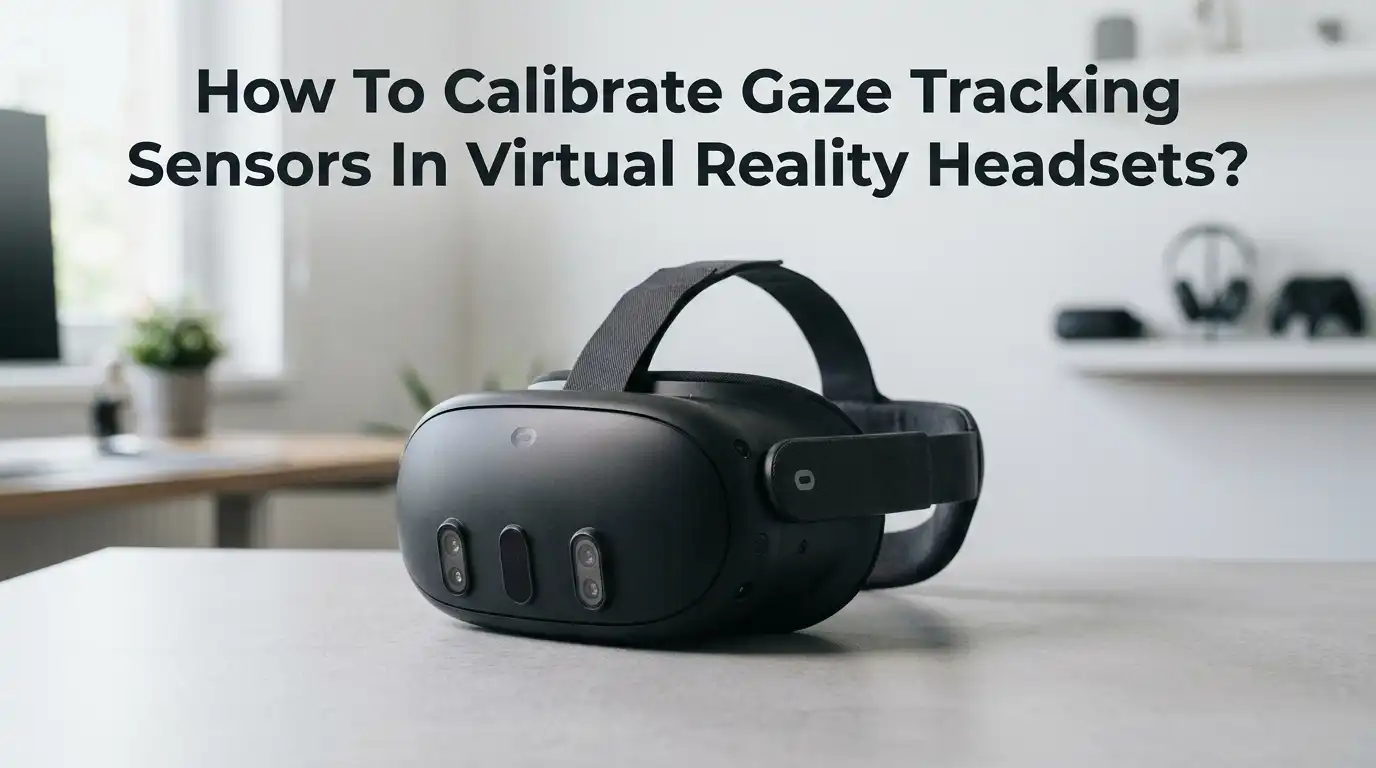
How To Calibrate Gaze Tracking Sensors In Virtual Reality Headsets?
Eye tracking has changed how we experience virtual reality. It powers foveated rendering, social avatars, hands free menus, and even research tools.
But none of that works well if the gaze sensors are off by a few millimeters. A bad calibration means your avatar looks cross eyed, your menus mis click, and your foveated rendering blurs the wrong spot.
The good news is that calibrating gaze tracking sensors is simple once you know the steps. You do not need lab equipment. You just need the right fit, clean lenses, good lighting, and a few minutes of focused setup.
Key Takeaways
- Fit matters more than software. A loose or tilted headset throws off every calibration. Always seat the headset flat on your face and tighten the strap before starting the eye tracking setup. Even a small slip can shift your gaze data by several degrees.
- Clean lenses give clean data. Smudges, dust, and fingerprints scatter infrared light and confuse the sensors. Wipe both lenses with a dry microfiber cloth before every session.
- Set your IPD first. Interpupillary distance is the gap between your pupils. If this dial is wrong, eye tracking will never be accurate, no matter how many times you recalibrate.
- Lighting and eyewear affect results. Bright sunlight, heavy mascara, reflective glasses, or contact lenses can all reduce sensor accuracy. Calibrate in a softly lit room and remove glasses when possible.
- Recalibrate often. Move the headset, share it with someone, or wear it for hours and the calibration drifts. A quick redo every session keeps the gaze tracking sharp and reliable.
- Per user profiles help. Most modern VR headsets save eye models for each account. Use them rather than relying on a single shared calibration.
What Gaze Tracking Sensors Actually Do Inside A VR Headset
Gaze tracking sensors are tiny infrared cameras placed around each lens. They shine invisible infrared LEDs at your eyes and record the reflections from your cornea and pupil. Software then calculates where you are looking, several hundred times per second.
This data drives many features. Foveated rendering sharpens only the spot you look at, which saves GPU power. Social presence moves your avatar’s eyes naturally. Auto IPD adjusts lens spacing on its own. Some headsets also use gaze for menu selection, aiming, and research analytics.
If the sensors are not calibrated to your specific eyes, every one of those features misfires. Calibration teaches the system the unique shape of your eyeballs, the angle of your pupil offset, and the distance between your eyes.
Why Calibration Drifts And Causes Problems
Calibration is not a one time fix. Eye tracking accuracy drops over a single session for many reasons. Knowing the causes helps you prevent them.
The headset shifts on your face as you move, especially during active games. Sweat and skin oils slowly fog the lenses. Your pupils dilate and contract with changing light, which alters the reflection pattern. Different users have different eye shapes, so a sibling or roommate sharing your headset breaks your saved profile.
Other common drift causes include wearing glasses one day and contacts the next, heavy eye makeup, and even tiredness, which changes blink frequency. A short two minute recalibration at the start of each session solves most of these problems before they become annoying.
Step One: Prepare The Headset Before You Start
Good calibration starts before you put the headset on. Skipping prep is the number one reason calibration fails.
First, wipe both lenses with a clean, dry microfiber cloth. Do not use alcohol wipes unless your headset maker approves them. Check for tiny dust specks near the infrared LEDs around the lens ring. Blow them off gently with a rocket blower or canned air held upright.
Next, check the face pad. A worn or compressed pad lets the headset tilt downward, which moves the sensors out of view of your eyes. Replace the pad if it is flattened. Finally, set the room lighting to soft and even. Avoid direct sunlight through windows, since strong infrared in sunlight overwhelms the eye tracking cameras.
Pros of careful prep: faster, more accurate calibration. Cons: it adds a minute to setup, which some users skip and then complain about poor tracking.
Step Two: Set Your Interpupillary Distance Correctly
IPD is the distance between the centers of your pupils, usually between 54 and 74 millimeters. Eye tracking will never work right if the lenses are not centered on your eyes.
Some headsets, such as PlayStation VR2 and Quest Pro, have a motorized or manual IPD dial. Others, like older models, use stepped positions. To find your IPD, ask a friend to measure with a ruler in a mirror, or use a free phone app that measures from a selfie.
Set the dial to that number. Then put the headset on and look at a sharp test image. Adjust the dial slightly until the image is crisp in both eyes. Some headsets offer auto IPD, which uses the eye tracker itself to set the dial. That feature only works after a rough manual calibration first.
Pros of manual IPD: precise control. Cons: takes trial and error. Pros of auto IPD: instant. Cons: needs a working eye tracker to begin with.
Step Three: Achieve The Right Headset Fit
Fit is the silent killer of eye tracking accuracy. The headset must sit level, with the lenses centered in front of your pupils and the face pad pressed evenly against your skin.
Loosen the strap fully before putting it on. Slide the headset onto your forehead first, then pull it down over your eyes. Tighten the back dial or strap until the headset feels secure but not painful. The top strap should carry most of the weight, not the face pad.
Look straight forward. The image should be sharp from edge to edge. If the bottom of the view is blurry, tilt the headset down. If the top blurs, tilt it up. A well fitted headset stays still during fast head movement, which is exactly what eye tracking needs.
Step Four: Run The Built In Calibration Wizard
Almost every modern VR headset has a guided calibration tool. The flow is similar across brands. You enter the settings menu, find the eye tracking section, and start calibration.
On Meta Quest Pro, go to Quick Settings, Settings, Movement Tracking, Eye Tracking, then Calibrate. On PSVR2, go to Settings, Accessories, PlayStation VR2, Eye Tracking. On HTC Vive Pro Eye and Vive XR Elite, open the Vive menu and select Eye Tracking. On Varjo, open Varjo Base, Headset tab, Eye Tracking Calibration.
A glowing dot appears and moves across your view. Follow it only with your eyes, not your head. Keep your head perfectly still and do not blink during the dot motion. The system usually shows five to nine points and finishes in under thirty seconds.
Pros of wizard calibration: easy, quick, repeatable. Cons: it relies on you following instructions exactly, and any head motion ruins the result.
Step Five: Validate The Calibration Results
After the wizard finishes, do not assume it worked. Validation catches errors before they ruin your session.
Most headsets show a validation screen with a small target. Look at it and check whether the gaze indicator lands on the target. If the dot lags, drifts, or sits off center, recalibrate. Some platforms display a numeric accuracy score, often in degrees. Anything under one degree is excellent. Anything over two degrees is a problem.
If you do not see a validation screen, open a social VR app or a simple gaze demo. Stare at a fixed object and ask a friend to check whether your avatar’s eyes match. A second calibration pass almost always improves the score, especially if the first attempt felt rushed.
Step Six: Save Per User Eye Profiles
Sharing a headset between people without per user profiles is the fastest way to break eye tracking. Each person has a unique pupil shape, eye spacing, and corneal curve.
Create a separate account on the headset for every regular user. Each account stores its own eye model. When that user signs in, the headset loads their profile and skips most of the recalibration. This is especially helpful for families and offices.
For research and enterprise headsets, like Tobii powered or Varjo systems, you can save named profiles even within a single account. Always label profiles clearly with the user’s name and date. Old profiles drift if the user changes glasses, gains or loses weight in the face, or simply ages.
Pros of profiles: faster sessions, better accuracy. Cons: takes a few minutes to set up the first time, and profiles need updating every few months.
Step Seven: Handle Glasses, Contacts, And Makeup
Eyewear and cosmetics are common calibration blockers. Glasses reflect infrared light back at the sensors, which the software reads as false pupil signals. Heavy mascara and dark eyeliner absorb infrared and hide your real pupil.
If you wear glasses, try prescription lens inserts made for your headset. They sit closer to your eyes and reduce reflection. If inserts are not available, tilt the glasses slightly so reflections miss the sensor angle. Contact lenses usually work fine, though some colored lenses confuse the system.
Before calibrating, remove or thin out eye makeup. Clean lashes give the sensor a clearer view of the pupil edge. Long false lashes can also block the lower eye lid, so consider removing them for serious VR sessions.
Step Eight: Fix Common Calibration Errors
Even with good prep, calibration sometimes fails. Here are the fixes for the most reported issues.
If the system says it cannot see your eyes, shift the headset up or down. Many users wear the headset too low, which puts the eye box above the sensor view. If only one eye fails, that lens area is likely smudged or blocked by a stray hair. Tuck loose hair behind your ears and wipe again.
If calibration completes but feels inaccurate, the IPD is probably wrong. Redo it. If the saved profile suddenly stops working, perform a power cycle and try once more. As a last step, factory reset the eye tracking module in settings. Reddit users have reported that this fixes stubborn Quest Pro calibration loops.
Pros of troubleshooting in order: solves problems without wiping data. Cons: takes patience.
Step Nine: Use Advanced Self Calibration Methods
Researchers are building self calibration systems that adjust on the fly. These methods watch where you naturally look during normal app use, such as menu buttons or moving objects, and silently refine the model.
Fixation based self calibration is one such method, published in recent VR research. It needs no dot following. Instead, it assumes that when you look at a clear target like a button, your true gaze is on that target, and it corrects any error it finds.
Some apps and SDKs already use this approach in the background. Big screen apps like Bigscreen Beyond’s Dynamic Foveated Rendering require an initial enrollment, then refine over time. Self calibration is not yet a full replacement for traditional setup, but it makes long sessions feel much more accurate.
Pros: no extra time spent on setup. Cons: needs supported apps and an initial standard calibration to begin.
Step Ten: Keep Calibration Fresh During Long Sessions
Even a perfect calibration drifts after thirty to sixty minutes of use. Sweat, slipping, and changing pupil size all play a part.
Take a short break every hour. Lift the headset, wipe the lenses, reseat it on your face, and run a quick recalibration. Many apps offer a one button recalibrate shortcut, sometimes triggered by holding the menu button. Use it whenever the gaze feels off.
If you stream or record VR content, recalibrate before each session and once midway through. Consistent calibration produces better avatar eye contact on camera. For competitive games or eye tracked aim systems, a fresh calibration before every match is worth the extra thirty seconds.
Step Eleven: When To Seek Hardware Repair
Sometimes the issue is not you. If calibration fails every time, even after cleaning, fit checks, and factory reset, the sensors may be faulty.
Look for signs like a dead infrared LED, visible dust trapped behind the lens, or a sensor that has come loose. Hardware faults are more common in second hand headsets that have been dropped or stored badly.
Contact the manufacturer’s support team and describe every step you tried. Most brands cover eye tracking faults under their standard warranty. Do not open the headset yourself, since the infrared modules are tiny, fragile, and often glued in place. A botched repair voids the warranty and can permanently damage the lens coating.
Pros of professional repair: fixes the root cause. Cons: shipping time and cost.
Frequently Asked Questions
How long should a good eye tracking calibration take?
A standard calibration takes between thirty seconds and two minutes. If it takes longer or fails repeatedly, check your fit, lens cleanliness, and IPD setting before trying again.
Do I need to recalibrate every time I put the headset on?
Not always, but it helps. If you saved a profile and the headset fits the same way, the saved model should still work. A quick validation check tells you whether a fresh pass is needed.
Can eye tracking work if I wear glasses inside the headset?
Yes, but accuracy may drop. Prescription lens inserts give the best results. Anti reflective coatings on glasses help reduce infrared glare on the sensors.
Why does my avatar look cross eyed even after calibration?
This usually means your IPD setting is wrong, or the headset is sitting crooked on your face. Reset both, then recalibrate. The avatar should track normally afterward.
Is eye tracking accuracy the same across all VR headsets?
No. Premium headsets like Varjo, Vive Pro Eye, and Quest Pro have higher sample rates and better sensors. Budget headsets may offer eye tracking but with lower precision and fewer calibration options.
Does eye tracking drain the battery faster?
Slightly. The infrared LEDs and extra cameras use power, but the gain from foveated rendering often saves more battery than the tracking costs. The net effect is usually positive.
Can children use eye tracking in VR safely?
Most manufacturers recommend VR for ages thirteen and up. Eye tracking itself is safe at any age, but the headsets are sized for adult faces, which causes fit and calibration problems for younger users.
Hi, I’m Rosie Tate — a tech enthusiast, gadget geek, and the creator of RapidConvertLab! 🚀 I’ve spent years exploring the ever-evolving world of electronics, smart devices, and Amazon’s hidden tech treasures. Through my honest, hands-on reviews, I help everyday shoppers cut through the noise and pick gadgets that truly deliver value. When I’m not testing a new device, I’m probably unboxing one! 📦✨