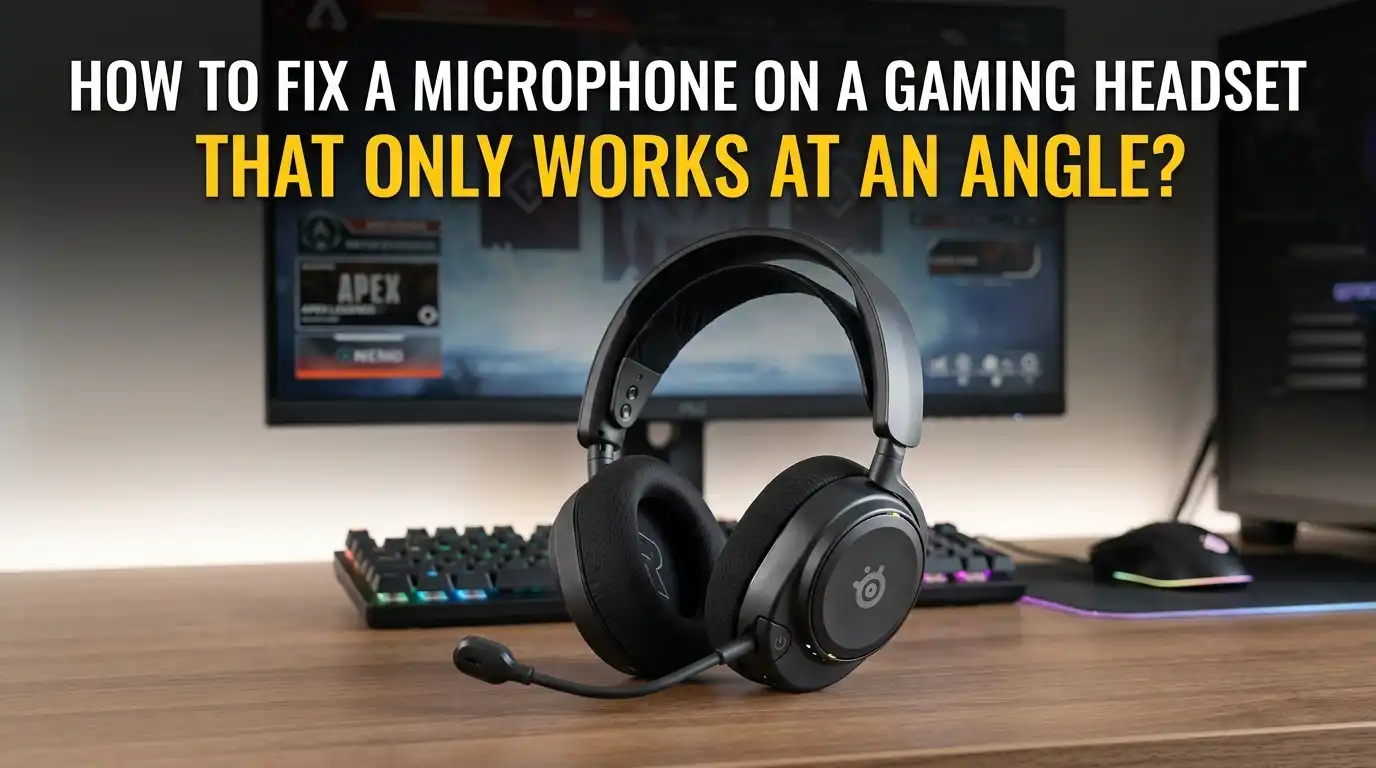
How to Fix a Microphone on a Gaming Headset That Only Works at an Angle?
Your gaming headset mic suddenly acts strange. Your teammates can hear you only when you tilt the boom arm a certain way. You bend it left, and your voice cuts out.
You hold it just right, and everything works again. This problem happens to many gamers, and it points to a real hardware issue inside your headset.
The good news is that you can often fix this at home. You do not need expensive tools or a repair shop visit. This guide walks you through every step. You will learn what causes the problem, how to test it, and how to repair it for good.
Key Takeaways
- A loose or broken internal wire is almost always the cause when your mic only works at a specific angle. The copper strands inside the boom arm or cable have likely cracked from repeated bending.
- Test the headset on another device first before opening anything. Plug it into a phone, laptop, or different console to confirm the issue is the headset and not your computer settings or drivers.
- Start with the easy fixes like reseating the detachable mic, cleaning the connector, and checking software settings. Many gamers solve the problem in under five minutes this way.
- Soldering gives the strongest repair for broken internal wires, but heat shrink tubing and electrical tape work as quick fixes. Each method has trade offs in durability and difficulty.
- Keep the warranty in mind before opening your headset. Most brands void coverage once you crack the shell open, so check your purchase date first.
- Prevention matters more than repair. Store your headset properly, avoid yanking the cable, and handle the boom arm gently to stop the problem from coming back.
Understand Why Your Mic Only Works at an Angle
The angle problem points to one main cause inside your headset. The thin copper wires that carry your voice signal have a hairline break. When you move the boom arm to a certain spot, the broken ends touch and the signal flows. When you move it away, the ends separate and the audio stops.
This happens most often at stress points where the cable bends repeatedly. Common weak spots include the base of the boom arm, the headset plug, and the joint where the mic connects to the earcup. Repeated daily bending fatigues the copper and eventually snaps individual strands.
Cheap headsets fail this way faster because they use thinner wire. Premium models last longer but still break over time.
Test the Headset on Another Device First
Before you blame the headset, rule out software problems. Unplug your headset and connect it to a different device. Try your phone, a tablet, a laptop, or another console. Use the voice recorder app or any chat app to test the mic.
If the mic still only works at an angle on the second device, the hardware is the problem. You need to repair the headset itself. If the mic works fine everywhere except your main computer, the issue is software. You may need to update drivers or change audio settings.
Pros of testing first: You avoid pointless hardware repairs and save hours of work. Cons: It takes a few extra minutes and requires a second device with a compatible port.
Check Your Audio Settings and Drivers
Sometimes the angle issue is a coincidence. A loose driver or wrong setting can mimic a hardware fault. Open your sound control panel on Windows. Right click the speaker icon and choose Sound Settings. Find your headset under Input devices.
Click Properties and make sure the microphone level sits at 100. Boost should be at +10 dB or +20 dB if your voice sounds too quiet. Then open Device Manager, expand Sound, video and game controllers, right click your audio driver, and pick Update driver.
Pros: Fast, free, and risk free. Cons: This rarely fixes a true angle issue, but it costs nothing to try and rules out software causes before you open the headset.
Reseat a Detachable Microphone
Many modern gaming headsets use a detachable boom mic. The mic plugs into the left earcup through a small 3.5mm or proprietary port. Dirt, lint, and oxidation build up inside this port and cause connection problems.
Pull the mic out gently. Look inside the port with a flashlight. You may see fuzz, dust, or green corrosion on the metal contacts. Blow out the port with compressed air. Then push the mic back in firmly until you hear a click.
Wiggle the mic slightly to test the connection. If the angle problem disappears, the port was just dirty. Pros: Takes thirty seconds, costs nothing. Cons: Only works if your mic detaches and the issue is at the connector, not deeper in the wire.
Clean the Mic Connector and 3.5mm Plug
Dirty contacts cause weak signal flow. Both the headset jack and any 3.5mm plug on your cable collect grime over time. Pocket lint, sweat, and skin oils build up on the metal.
Get a cotton swab and dip it in isopropyl alcohol that is 90 percent or higher. Twist the swab gently inside the port for about ten seconds. Then wipe the metal plug on the mic boom or cable end with the same alcohol. Let everything dry for two minutes before plugging it back in.
Pros: Removes oxidation, restores conductivity, and takes only a few minutes. Cons: Alcohol can damage plastic if you use too much, so squeeze the swab nearly dry before cleaning.
Locate the Exact Break in the Wire
Now you need to find where the wire is damaged. This step is the most important part of the repair. Plug your headset into a phone and open a voice recorder. Start recording.
Slowly bend the boom arm at different points. Pinch and twist the cable along its full length. Listen for the moment the audio cuts in or out. Mark that exact spot with a small piece of tape. The break is right there.
Pros: Pinpoints the damage so you only repair what is broken. Cons: Takes patience, and some breaks hide deep inside the boom arm where you cannot see them without opening the headset.
Try the Quick Tape and Bend Fix
If the break sits in the cable or at the base of the boom arm, you can hold it in the working position. Bend the wire to the angle where the mic works clearly. Wrap electrical tape tightly around that bend to lock it in place.
This is a temporary fix that buys you time. It works best for quick gaming sessions when you need the mic right now. The tape holds the broken copper ends together by force.
Pros: Fast, needs only one tool, and lets you keep playing today. Cons: The tape loosens over time, the wire keeps fatiguing inside, and the break will get worse if you do not do a proper repair soon.
Open the Boom Arm or Earcup Carefully
A real repair means opening the headset. Most gaming headsets use plastic clips or small Phillips screws to hold the earcup shut. Remove the ear cushion first. It usually pops off when you pull around the edge.
Look for hidden screws under the foam. Unscrew them and slowly pry the plastic shell apart with a guitar pick or plastic spudger. Never use a metal screwdriver as a pry tool because it cracks the plastic.
Once open, you will see the speaker, the wires, and the mic connection point. Take a photo before you touch anything. The photo helps you remember how to put it back together. Pros: Gives you full access to the broken wire. Cons: Voids your warranty and risks cracking the shell.
Repair Broken Wires With Heat Shrink Tubing
Inside the headset, you may see a thin wire with cracked insulation or visible copper. If a wire has snapped clean through, you need to reconnect it. Strip about half an inch of insulation from each broken end using a wire stripper or a sharp knife.
Twist the matching colored copper strands together tightly. Slide a piece of heat shrink tubing over the joint. Heat it with a hair dryer or lighter held a few inches away until the tubing shrinks and seals the connection.
Pros: Stronger than tape and creates clean insulation. Cons: Not as solid as solder, and a hair dryer may not get hot enough for thick tubing, so a heat gun works better.
Solder the Wire for a Permanent Fix
Soldering creates the most reliable repair. You need a soldering iron, rosin core solder, and a steady hand. Heat the iron to around 350 degrees Celsius. Tin the tip with a small dab of solder first.
Twist the broken copper ends together. Touch the iron to the joint and feed in a tiny amount of solder until it flows around the wires. Let it cool for thirty seconds without touching it. Then cover the joint with heat shrink tubing.
Pros: Permanent, low resistance, and stronger than the original factory wire. Cons: Requires a soldering iron and basic skill, and beginners can burn the plastic shell or melt nearby parts if they rush the job.
Replace the Whole Microphone or Cable
Some headsets have replaceable parts. If your boom mic detaches, you can buy a replacement boom from the same brand. Many companies sell spare mics for popular models. Just match the connector type to your headset.
For headsets with a fixed boom, you can sometimes replace the entire cable. Open the earcup, unplug the old cable from the internal board, and solder in a new one. This works well for headsets with a removable cable on the earcup side.
Pros: Like new performance and full warranty on the new part. Cons: Costs more than a repair, and some brands do not sell spare parts to regular customers, leaving you stuck with the broken unit.
Prevent the Problem From Coming Back
Once you fix the headset, treat it gently. Do not yank the cable out by the wire. Always pull the plug itself. Store the headset on a stand or hook instead of letting the cable dangle.
Bend the boom arm only when you need to position the mic. Avoid playing with it while you think or talk. Keep the cable away from chair wheels, because rolling over the wire crushes the copper inside.
Buy a cable wrap or use a velcro tie to coil excess cable neatly. Pros: Free, easy, and doubles the life of your headset. Cons: Requires a small habit change, but the savings on repair time and replacement cost make it worth the effort.
When to Stop Repairing and Buy New
Some headsets are simply not worth fixing. If the plastic shell has cracked, the speakers buzz, or the headband has snapped, the wire is just one of many problems. Add up the cost of parts, tools, and your time before you commit.
If your headset cost under fifty dollars and is more than three years old, replacement often makes more sense. Premium headsets with metal frames and replaceable parts are usually worth fixing because the rest of the unit still has years of life left.
Pros of replacing: Fresh warranty, newer features, and zero repair stress. Cons: Costs money, creates electronic waste, and you lose the comfort of a headset you already broke in.
Frequently Asked Questions
Why does my headset mic only work when I hold it at a certain angle?
A wire inside your headset has a partial break. When you tilt the boom arm to the right spot, the broken copper strands touch and the signal flows. Moving the boom separates the strands and cuts the audio. This usually happens at the base of the boom or where the cable enters the earcup.
Can I fix a headset mic without soldering?
Yes, you can. Twist the broken wires together and cover the joint with heat shrink tubing or electrical tape. This works as a short term repair. Soldering lasts much longer, but a tape and tube fix can hold for months if you are careful with the headset.
How long does a headset mic repair take?
A simple cleaning or reseating takes under five minutes. Opening the earcup and repairing a wire takes about thirty to sixty minutes. First time repairs take longer because you go slowly to avoid damage. Once you have done it once, the next repair is much faster.
Will opening my gaming headset void the warranty?
In most cases, yes. Brands like Razer, Logitech, SteelSeries, and HyperX void the warranty when you crack the shell. Check your purchase date first. If the headset is still under warranty, contact support before you open it. They may send a free replacement.
What tools do I need to repair a gaming headset mic?
For a basic repair you need a small Phillips screwdriver, a plastic pry tool, electrical tape or heat shrink tubing, and isopropyl alcohol. For a permanent fix you also need a soldering iron, solder, and wire strippers. A multimeter helps you find breaks but is not required.
Is it cheaper to repair or replace a gaming headset?
Repair costs almost nothing if you already own basic tools. Replacement costs anywhere from twenty to three hundred dollars depending on the model. Repair makes sense for mid range and premium headsets. For very cheap headsets, replacement is often the smarter choice.
How do I stop my headset mic from breaking again?
Handle the boom arm gently and avoid bending it more than you need to. Store the headset on a stand instead of draping the cable across your desk. Pull the plug, never the wire. Keep the cable away from chair wheels and sharp edges. These small habits extend the life of any headset by years.
Hi, I’m Rosie Tate — a tech enthusiast, gadget geek, and the creator of RapidConvertLab! 🚀 I’ve spent years exploring the ever-evolving world of electronics, smart devices, and Amazon’s hidden tech treasures. Through my honest, hands-on reviews, I help everyday shoppers cut through the noise and pick gadgets that truly deliver value. When I’m not testing a new device, I’m probably unboxing one! 📦✨