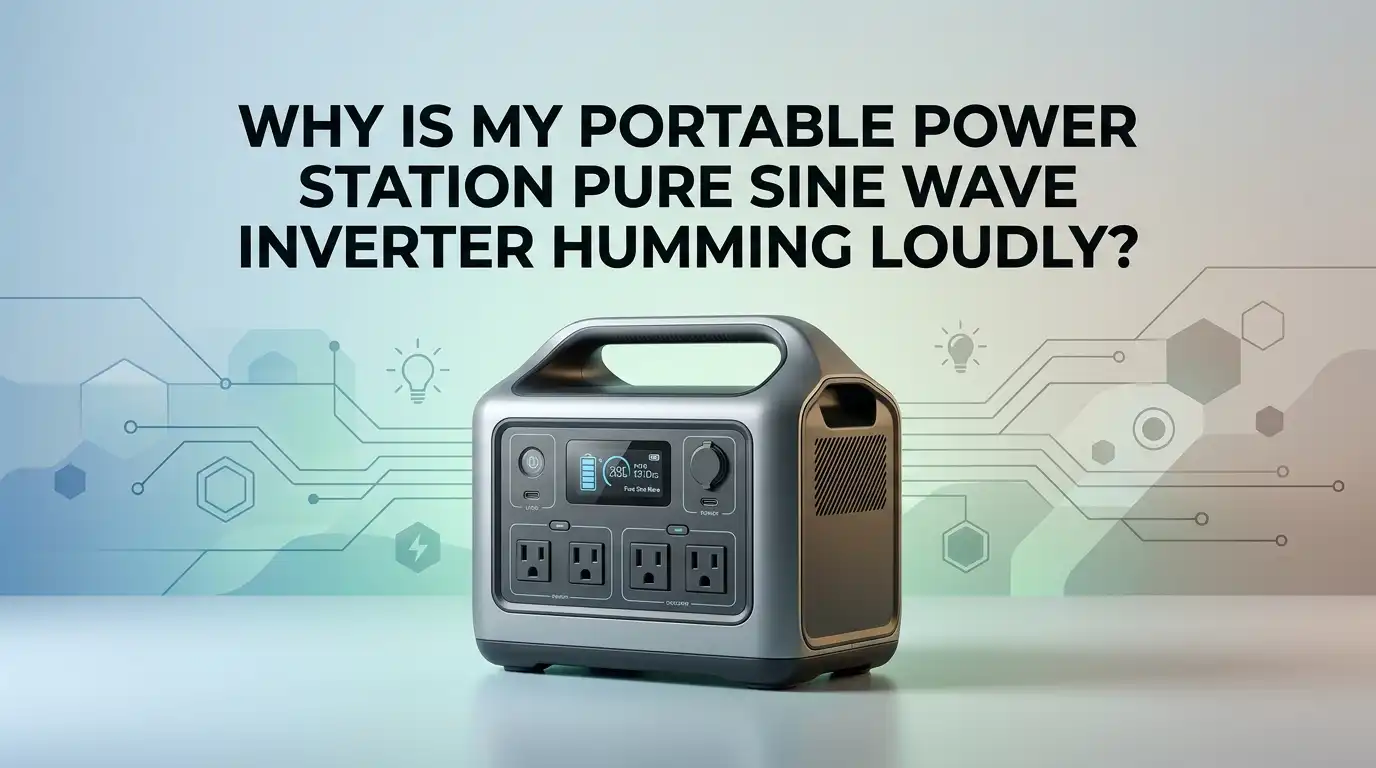
Why Is My Portable Power Station Pure Sine Wave Inverter Humming Loudly?
A loud hum from a portable power station can feel worrying fast. You bought a pure sine wave unit because you wanted clean power, quiet use, and smooth performance.
Then one day, the inverter starts humming louder than usual, and now you want to know if this is normal or a warning sign.
The good news is that a hum does not always mean failure. In many cases, the sound comes from heat, load stress, battery voltage drop, fan speed, or the type of device plugged into the AC outlet.
In a Nutshell
- A mild hum can be normal. Pure sine wave inverters still switch power at high speed. Internal parts can vibrate a little, and fans can get louder under stress. A soft hum that stays steady is often less serious than a sudden loud buzz.
- The load often triggers the noise. Motors, compressors, chargers, microwaves, and some power bricks can make the inverter work much harder. That extra work can create more heat, more fan speed, and more vibration. A quick load test often shows if the appliance is the real cause.
- Low battery voltage matters more than many people think. As battery voltage drops, the inverter has to pull more current to make the same AC power. That can raise heat, noise, and strain. Some inverter manuals warn users near about 11 volts on 12 volt systems, with shutdown close to 10.5 volts.
- Fan noise gets confused with inverter hum all the time. Many portable power stations spin up the fan when the battery is low, when AC output is active, or when you run heavy appliances. If the sound rises and falls with temperature or load, the fan may be the main issue.
- Loose cables, poor placement, and hard surfaces can make a small sound seem huge. A unit on a hollow table can sound much louder than the same unit on a dense floor mat. A loose plug or a shaky side panel can also add a sharp buzz.
- A very loud or sudden hum needs care. If you also smell heat, see an error, feel strong vibration, or hear crackling, stop using the AC output. That is the point to contact support or a repair pro. Do not keep testing a unit that shows clear danger signs.
What Kind Of Hum Is Normal
Some inverter noise is normal, even with a pure sine wave model. The words pure sine wave do not mean silent. They mean the AC output is smoother and safer for sensitive devices than modified wave power.
A light hum can come from magnetic parts inside the inverter. Tiny movement in coils and core parts can create a steady sound. That sound may get a little stronger under load. A mild fan sound is also normal once the unit gets warm.
Here is a simple rule. If the hum is soft, steady, and does not come with heat smell, warning lights, or shutdowns, it may be normal. If the sound is suddenly much louder than before, that is different.
Pros: Accepting a small normal hum saves worry and prevents random fixes that do nothing.
Cons: Calling every hum normal can make you miss a real fault early.
A normal sound stays boring. An abnormal sound gets your attention fast. Trust that difference.
Why Pure Sine Wave Inverters Still Make Noise
Many people think only cheap inverters make noise. That is not true. Pure sine wave units can hum too because they still convert DC battery power into AC power through switching, filtering, and magnetic parts.
One reason is internal vibration. Electrical parts can move by a tiny amount as current changes. Another reason is heat. As the inverter works harder, the cooling system reacts. The fan gets faster, and the whole unit can sound rougher.
Some sounds do not come from the power station at all. The plugged in device may be the one humming. Chargers, speakers, fridges, and tools can reflect noise back into the system or create their own buzz.
This matters a lot because the fix depends on the source. If the device is the cause, opening the power station will solve nothing.
Pros: Knowing the sound can come from several places helps you test smart.
Cons: If you skip careful testing, you may blame the wrong part and waste time.
Start With A No Load Test
The fastest way to find the cause is a no load test. Turn the power station on with AC output active, but unplug every device first. Listen for one minute in a quiet room.
If the hum is very low with no load, the unit itself may be fine. Then plug in one simple device, like a small lamp or phone charger. Listen again. After that, test your usual heavy device one at a time.
This method shows you exactly when the noise starts. That one change tells the story. If the sound jumps only with one appliance, you found the likely trigger. If the hum is loud even with nothing connected, the issue may be inside the power station.
Pros: This is safe, simple, and very effective. It isolates the problem fast.
Cons: It takes patience, and some noise issues appear only after the unit warms up.
Keep notes during the test. Small details help more than guesswork.
Check If The Cooling Fan Is The Real Sound
A lot of users say the inverter is humming when the real noise is the cooling fan. Fans can sound like a hum, a rush, a buzz, or a rough whirr. On many power stations, fan speed rises during heavy AC use, hot room conditions, or low battery charging.
Listen closely to where the sound comes from. Put your ear near the vent area first, then near the AC outlet side. If the sound is stronger near the vents and changes speed every few seconds, the fan is a strong suspect.
Some brands promote quiet charging modes under about 45 dB in certain conditions. But that does not always apply during hard AC output. A microwave, heater, or fast recharge can wake the fan up fast.
Pros: Fan noise is usually normal and often harmless.
Cons: A dirty, worn, or unbalanced fan can still mean service is needed.
If the sound pulses with heat and load, think fan before fault.
Check Battery Level And Voltage Drop
Low battery charge can make a power station much louder. As battery voltage drops, the inverter needs more current to supply the same AC wattage. More current means more heat, more fan use, and more strain on internal parts.
If your unit has a display, check battery percentage before and during the hum. If the sound gets worse below half charge or during a heavy load, low voltage stress may be the reason. On 12 volt inverter systems, low voltage alarms often begin near 11 volts, and shutdown can follow soon after.
Also check for voltage drop effects. Long, thin, or loose battery side cables matter on external battery systems. Portable all in one units hide most of this, but loose input or charging cables can still add stress.
Pros: Recharging the unit is easy and often fixes the noise fast.
Cons: If low battery noise keeps returning too early, battery health may be declining.
A weak battery makes the inverter work harder than it should.
Remove Heavy Motor And Charger Loads
Some appliances are much harder on an inverter than their label suggests. Refrigerators, fans, pumps, power tools, microwaves, and some chargers pull a start up surge or create a messy load. That can make the inverter hum louder even if the power station can run the device on paper.
Try unplugging all motor based or compressor based devices first. Then test with a simple resistive load, like an old style lamp or a low power heating device that stays within the unit limit. If the hum falls a lot, the problem is load type, not just load size.
Laptop chargers and LED drivers can also be surprising. A small device can still create annoying sound if its power brick is noisy.
Pros: Changing the load is easy and costs nothing.
Cons: You may need to avoid certain devices or run them only at high battery levels.
If one appliance always triggers the buzz, believe the pattern.
Inspect Cables Plugs And Mounting Points
A loose connection can turn a mild hum into a harsh buzz. Check the AC plug, charging cable, extension cord, and any adapter you use. Push each connection in fully, then test again.
Next, look at the unit itself. Is it sitting flat? Is one rubber foot missing? Does the side panel rattle if you touch it lightly? A hard plastic shelf, thin table, or hollow cabinet can amplify sound like a drum. Move the power station to a dense and stable surface for a quick test.
Do not open the case unless the maker allows it and you know exactly what you are doing. Internal capacitors can hold dangerous energy.
Pros: This method is low risk and often solves simple buzz issues.
Cons: It will not fix an internal electrical fault.
Small physical vibration can sound much bigger than it really is. Always check the easy mechanical causes first.
Rule Out Ground Loop And Nearby Device Noise
Sometimes the hum is not from the power station. It comes from speakers, audio gear, monitors, or other connected devices. This happens a lot with music setups, mixers, TVs, and powered speakers.
A ground loop can create a hum when two devices share more than one path to ground. The sound may come through the speaker, while the power station seems guilty. To test this, unplug the audio device and see if the hum stops. Then reconnect gear one item at a time.
Try using the same power source for all linked devices when possible. Keep signal cables away from power cables. Swap cheap extension cords or old adapters if needed.
Pros: This check can solve a stubborn hum without touching the power station.
Cons: Audio noise can take time to isolate because several devices may be involved.
If the sound comes from the speaker, the inverter may be innocent.
Improve Airflow Temperature And Placement
Heat changes noise fast. If the unit sits in a hot room, direct sun, a closed cabinet, or soft bedding, the fan will work harder. That louder fan sound often gets mistaken for an electrical hum.
Move the power station to a cool, open spot. Leave clear space around the vents. Do not place it against curtains, bags, or foam. If you use it in a van, tent, or RV, check whether the air around it is trapped. Warm air needs a path out.
Also look at the surface under the unit. Wood shelves, thin desks, and empty cabinets can amplify sound. A dense rubber mat or folded towel under the unit can reduce vibration noise a lot, as long as it does not block airflow.
Pros: Better placement is simple and often reduces noise fast.
Cons: Soft surfaces can hurt cooling if they block vents.
Cooler air usually means calmer sound.
Use Settings Updates And Reset Options
Some portable power stations have settings that affect fan behavior, charging rate, eco mode, sleep timing, and AC output logic. A firmware update can also change how the unit manages heat and fan speed.
Open the maker app or check the user menu if your model supports that. Look for charging speed options, eco settings, or fan related performance modes. A slower recharge setting can reduce noise during charging. A reset may also help if the unit started acting oddly after an error or sudden shutdown.
Do not expect a setting change to fix a damaged fan or failing inverter stage. Still, it is worth checking because software control does affect noise on many newer units.
Pros: This method is easy and costs nothing.
Cons: Some models have few settings, and updates do not fix hardware problems.
If the noise began after a glitch, a clean reset is a smart step.
Know When The Problem Is Internal Damage
A loud hum becomes serious if it comes with other warning signs. Stop using the AC output if you notice burning smell, sharp crackling, visible smoke, repeated overload errors, sudden shutdowns, or strong vibration through the case.
Those signs can point to a failing fan, loose internal part, stressed capacitor, bad relay, damaged board, or heat damage. Even a pure sine wave inverter can develop faults after drops, dust buildup, moisture exposure, or long use near its limit.
Do not keep running tests if the unit sounds worse every minute. That is not normal break in behavior. That is a signal to stop and protect the battery, the inverter, and the device you planned to power.
Pros: Stopping early can prevent bigger damage and safety risk.
Cons: You may need repair help, which can cost time or money.
When the hum feels wrong, trust the warning.
How To Keep The Hum From Coming Back
Prevention is easier than repair. Keep the power station clean, cool, and lightly stressed whenever possible. Recharge before the battery gets too low if you plan to run AC devices. Avoid using the unit right at its limit for long periods.
Match the appliance to the power station with some headroom. A unit that runs a device at 90 percent load will usually be louder than one running at 50 percent load. Use short, good quality cords. Keep vents clean. Store the unit in a dry place. If your model has update support, check it from time to time.
The best long term habit is simple. Test new appliances one at a time before depending on them in a trip, outage, or work session.
Pros: Prevention cuts stress, noise, and surprise shutdowns.
Cons: It may limit how many heavy devices you run at once.
Treat the inverter gently, and it usually stays quiet longer.
FAQs
Is a humming pure sine wave inverter always a problem?
No. A soft steady hum can be normal. Internal magnetic parts and cooling fans can make some sound, especially under load. The problem starts when the noise becomes much louder than usual, changes suddenly, or comes with heat smell, warnings, or shutdowns.
Why does the hum get louder when I plug in my refrigerator or microwave?
Those devices can pull a big start up surge and create a harder load for the inverter. That extra demand raises current, heat, and fan speed. The inverter may still be working correctly, but it is under more stress, so the sound grows.
Can a low battery make my portable power station hum louder?
Yes. A lower battery can force the inverter to pull more current to maintain AC output. That can increase internal stress and fan noise. If the sound gets worse as battery level falls, recharge the unit and test again before looking for deeper faults.
Should I open the power station and tighten parts myself?
Usually no. Portable power stations can store dangerous energy inside. If the maker does not give a safe user service path, do not open the case. Start with external checks, load testing, placement changes, and settings. If the hum still sounds severe, contact support or a qualified repair pro.
What is the safest first fix to try?
Start with a no load test, then add one small device at a time. Next, recharge the battery fully, move the unit to a cool solid surface, and check whether the sound is really the fan. These steps are low risk and often reveal the cause quickly.

Hi, I’m Rosie Tate — a tech enthusiast, gadget geek, and the creator of RapidConvertLab! 🚀 I’ve spent years exploring the ever-evolving world of electronics, smart devices, and Amazon’s hidden tech treasures. Through my honest, hands-on reviews, I help everyday shoppers cut through the noise and pick gadgets that truly deliver value. When I’m not testing a new device, I’m probably unboxing one! 📦✨