How To Fix Wearable Cooling Vest Pump Whining Noise?
Does your cooling vest make a strange whining noise when you turn it on? You are not alone. Many people who use pump based cooling vests notice this issue over time.
That whining sound usually means your pump is under stress. It could be a small annoying hum, or it could turn into a loud buzzing noise. Either way, it is a sign that something needs attention.
The good news is that this problem is often easy to fix. In most cases, you do not need to buy a new vest. You just need to find the root cause.
In a Nutshell
- Check for air bubbles first. Trapped air in the cooling lines often causes a whining sound. Bleed the lines to let the air escape.
- Inspect all connections. Loose tubes or fittings make the pump work harder. This extra strain creates noise.
- Look at the electrical grounding. Poor grounding can cause the pump motor to whine. Secure grounding often solves this issue fast.
- Use the right coolant. Wrong fluid types can stress the pump. Always use fluid the maker recommends.
- Add lubrication if needed. A drop of oil on the pump can reduce friction noise. This is a temporary fix, not a permanent solution.
- Don’t ignore the noise. Whining almost always signals a real problem. Fixing it early stops bigger damage later.
Understanding How Pump-Based Cooling Vests Work
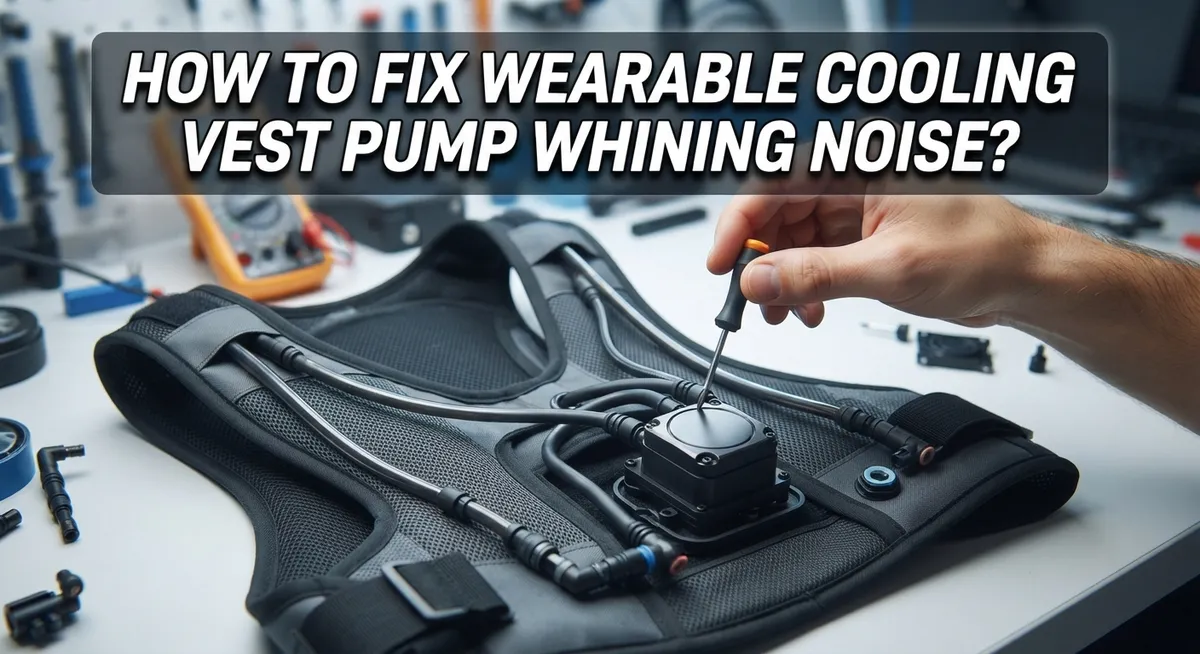
Pump based cooling vests use a simple system to keep you cool. A small electric pump moves liquid through tubes that sit against your skin. This liquid absorbs your body heat and returns to a cooling unit where it gets chilled again. Then the cycle repeats.
The pump is the heart of this system. It pushes coolant through narrow tubes continuously. When working properly, you barely hear it. The motor inside spins at high speed to create the pressure needed for circulation.
Air bubbles cause most whining sounds. When air gets trapped in the lines, the pump works harder to push fluid around the blockage. This extra effort creates that annoying high pitched noise you hear.
Loose connections also lead to vibration. If tubes aren’t secured properly, they rattle against the vest or pump housing. This amplifies any sound the pump makes. The vibration can also damage seals over time.
Improper grounding creates electrical buzzing. Your cooling vest needs a secure connection to ground. Without it, the motor vibrates differently and produces noise.
The coolant type matters too. Using the wrong fluid increases friction inside the pump. This friction generates extra noise and heat. Worn bearings inside the pump also cause whining. As parts age, they fit less snugly together.
Regular maintenance prevents most problems. Check your pump monthly for loose parts. Listen for changes in sound. Early whining often means a small issue before it becomes big. Most pump noise problems are fixable with basic troubleshooting. Understanding how your vest works helps you identify problems quickly.
What Causes the Pump to Whine
Your pump whines for specific mechanical and electrical reasons. Understanding these causes helps you fix the problem quickly.
Air trapped in cooling lines is the primary culprit. When air bubbles form inside the tubes, your pump must work much harder to push liquid around the system. This extra strain produces that high pitched whining sound you hear. Air enters lines during initial setup, after refilling, or when connections loosen over time.
Worn internal bearings cause whining too. Bearings inside your pump reduce friction as moving parts rotate. After extended use, these bearings wear down and create grinding or squealing noises. Friction increases without proper lubrication between metal surfaces.
Loose mounting connections lead to vibration noise. Your pump sits on brackets that hold it steady. When bolts or fasteners become loose, the pump vibrates against its housing. This vibration transfers through the cooling vest and amplifies the whining sound.
Improper electrical grounding creates buzzing that sounds like whining. Your pump needs secure ground connections to operate smoothly. Poor grounding causes electrical current to flow incorrectly, producing noise and potential safety issues.
Incompatible coolant types strain your pump system. Different coolant viscosities flow at different speeds. Using the wrong type forces your pump to work harder than intended, generating excess noise and heat.
Low coolant levels reduce proper circulation. When fluid drops below recommended amounts, air pockets form more easily. Your pump then struggles to maintain consistent flow.
Clogged filters or blocked tubes restrict coolant movement. Debris buildup forces your pump to increase pressure and speed. This extra effort produces louder whining sounds.
Each cause requires different solutions, so identifying which one applies to your situation is essential for effective repairs.
Step-by-Step: Diagnosing the Whining Noise
Start by listening carefully to your cooling vest pump. Pay close attention to when the whining happens. Does it start immediately when you power on the device? Does it get louder over time? Does it stop and start randomly? These details help you identify the root cause.
Next, check your pump’s physical location. Look at how the pump connects to your vest. Are all bolts and fasteners tight? Loose mounting points create vibration that sounds like whining. Gently wiggle the pump to see if anything moves.
Now inspect all the tubing connections. Follow the path from your pump to the cooling vest and back. Look for any tubes that are not fully inserted into their connection points. Partially connected tubes allow air to enter the system, which causes that annoying sound.
Feel the tubes while the pump runs. You should feel steady coolant flow, not pulsing or weak pressure. Weak flow suggests air bubbles or a blockage. Pulsing flow indicates the pump is struggling to move fluid.
Check your electrical grounding connection next. Find where the power cord connects to your device. Make sure this connection is completely secure. A loose ground connection creates electrical buzzing mixed with mechanical whining.
Finally, review your device settings. Some cooling vests have adjustable pump speeds. Running the pump at maximum speed when you do not need maximum cooling puts unnecessary stress on the system. Lower the speed setting and listen for changes.
Document what you observe during this inspection. Write down when the noise occurs, how loud it is, and what the pump feels like when running. This information helps you move forward with the right solution for your specific situation.
How to Fix Air Bubbles and Fluid Flow Issues
Air bubbles trapped in your cooling lines are the primary cause of pump whining. When air pockets form, your pump must work harder to push fluid around them. This extra effort creates that high pitched noise you hear.
Start by locating the air release valve on your cooling vest system. Most pump based vests have a small valve designed specifically for this purpose. Open this valve slowly while the pump runs to let trapped air escape naturally.
Next, check the fluid level in your reservoir. Low coolant reduces proper circulation and allows air to enter the lines more easily. Fill your reservoir to the recommended level marked on the container. Never overfill, as this can cause different problems.
Inspect every tube connection where lines attach to the pump and cooling garment. Loose connections let air seep into the system during operation. Hand tighten all fittings gently but firmly. Listen for changes in the whining sound as you secure each connection.
Run your pump for several minutes after tightening connections. This helps push any remaining air bubbles out through the release valve. You may hear the noise change or decrease as air exits the system.
Verify your coolant is flowing smoothly by feeling the tubes while the pump operates. One tube should feel warm and the other cool if circulation works properly. If both feel the same temperature, blockages may be restricting flow.
Check your manufacturer’s instructions for the correct fluid type. Using incompatible coolant can create foam and air pockets that worsen whining. Replace your coolant if you suspect contamination or incorrect type was used previously.
Checking Connections, Grounding, and Mounting
Your cooling vest pump whines because something is loose, grounded incorrectly, or vibrating. Let’s check these three areas systematically.
Start with physical connections. Turn off your pump completely. Feel around the pump housing where it attaches to the vest. Tighten any bolts or fasteners you find. Loose mounting causes vibration that sounds like whining. Check every tube connection where coolant lines attach to the pump. These joints should feel snug, not loose. Tighten them by hand first, then use the appropriate tool if needed.
Next, inspect your grounding. Your pump needs a secure electrical ground to operate quietly. Find where the power cord connects to your cooling system. Verify the ground wire (usually green or bare copper) is firmly attached. A loose ground connection creates buzzing that mimics whining noise. Check that the metal contact points are clean and free of corrosion. Wipe them gently with a dry cloth if needed.
Finally, verify your mounting position. The pump should sit on a stable, flat surface. Uneven mounting causes the pump to rock during operation, creating noise. Place your pump on a level area and check that all feet make contact with the surface. If your pump sits on a shelf or stand, ensure that shelf doesn’t vibrate.
Test your fixes now. Turn the pump back on and listen carefully. The whining should decrease or disappear. If noise continues, move forward to checking fluid circulation and air bubbles in your lines. Document what you found so you remember which connections needed attention.
Common Mistakes That Make Pump Noise Worse
Many people accidentally make pump whining worse by repeating the same mistakes. Understanding these errors helps you avoid them and keep your cooling vest working properly.
Ignoring early warning signs is the biggest mistake. When your pump first starts whining, it signals mechanical stress. Many users hope the noise goes away on its own. It doesn’t. The problem gets worse over time. Early action prevents expensive repairs later.
Improper installation causes constant vibration. Your pump needs a flat, stable surface. Placing it on uneven ground or soft surfaces creates unnecessary movement. This vibration travels through the tubing and amplifies the whining sound. Always use a solid, level platform.
Using the wrong coolant type strains your system. Your pump is designed for specific fluids. Using incompatible coolant thickens the fluid or creates chemical reactions. This forces your pump to work harder. The motor whines from the extra effort.
Skipping regular maintenance leads to buildup inside your lines. Dust and debris accumulate in filters and tubes. Your pump must push harder to move coolant through blocked passages. This extra strain creates louder whining.
Neglecting electrical grounding creates buzzing that sounds like whining. Your pump needs a secure ground connection to function quietly. A loose ground wire causes electrical noise that mimics mechanical problems.
Overtightening connections actually causes problems too. Excessive pressure on tubing can pinch lines and restrict flow. Your pump then works harder to push coolant through. This creates the exact noise you’re trying to eliminate.
The key is addressing issues immediately and following basic maintenance routines. Small preventive steps stop minor whining from becoming major damage.
Preventive Maintenance to Keep Your Pump Quiet
Regular maintenance stops pump whining before it starts. This approach saves you time and money compared to fixing major problems later.
Clean your cooling lines every month. Dust and debris collect inside tubes and reduce pump efficiency. Turn off your system completely. Locate where coolant enters and exits your vest. Use a soft brush to gently remove visible buildup around connection points. Never force anything into the tubes.
Check your coolant level weekly. Low fluid causes your pump to work harder and whine louder. Open your reservoir according to your manual’s instructions. The coolant should reach the fill line. Top it off if needed using only the fluid type your manufacturer recommends.
Inspect all connections monthly. Loose fittings vibrate and create noise. Feel each tube connection where it attaches to your pump and garment. Tighten gently by hand first. If a connection feels loose, use the appropriate tool to secure it further. Do not overtighten, as this damages seals.
Test your grounding connection quarterly. A poor electrical ground causes buzzing that sounds like whining. Check that your power cord connects properly to a grounded outlet. Verify the ground prong is clean and undamaged.
Store your system correctly. When not in use, keep your cooling vest in a cool, dry place. Store tubes without kinks or sharp bends. Empty the reservoir if you won’t use your system for several weeks.
Keep a maintenance log. Write down when you perform each task. This helps you spot patterns and catch problems early. Early detection prevents small noises from becoming serious mechanical failures that require professional repair.
When to Stop Using the Vest and Seek Repair
Your cooling vest pump whining means something is wrong. Stop using it immediately if the noise gets worse or if you notice other problems.
Listen for these warning signs. A high pitched whine that increases in volume suggests internal damage. A grinding sound indicates worn bearings inside your pump. A rattling noise means loose parts are hitting each other. Any of these sounds means repair is necessary.
Check the pump temperature while it runs. If the pump feels hot to the touch, stop using it right away. Overheating pumps can fail completely or even become a safety hazard. Let it cool down for at least 30 minutes before touching it.
Watch for fluid leaks around connections. Even small drips mean your system is losing coolant. Leaking fluid reduces cooling power and forces your pump to work harder. This extra strain creates more noise and causes faster damage.
Stop using your vest if the cooling stops working properly. You should feel cold water or coolant flowing through the tubes. If the flow becomes weak or stops completely, your pump may have internal blockages or failure.
Don’t try to push through the noise. Continuing to use a failing pump can cause permanent damage that costs more to repair. The longer you wait, the worse the problem becomes.
Contact the manufacturer or a repair service when you notice these issues. Provide them with details about the noise type and when it started. This information helps technicians diagnose your problem faster. Stopping early prevents expensive repairs later.
Final Thoughts
Pump whining is a clear signal from your cooling vest. It tells you something needs attention. You don’t have to ignore it or feel confused about what to do next.
Most causes are simple and fixable at home. Air in the lines, loose parts, or grounding issues account for most whining sounds. You can solve these problems with basic checks and small adjustments.
Your cooling vest works hard to keep you comfortable. Give it the same care in return. A few minutes of inspection each week saves you from bigger headaches later.
Remember that pumps are mechanical parts. They wear down over time with normal use. This is expected and not something to fear.
The real goal is catching problems early. A small whine today becomes a bigger issue tomorrow if you let it sit. Quick action keeps repair costs low and your vest running longer.
If simple fixes don’t work, that’s okay too. Some issues need professional help or manufacturer support. There’s nothing wrong with reaching out for expert guidance.
You also have options beyond pump based systems. Passive cooling vests using gel packs or phase change materials skip pumps entirely. These avoid whining noises completely since they have no moving parts.
Think about your daily needs and comfort level with maintenance. Some people prefer the steady output of a pump system. Others like the simplicity of passive cooling options.
Whatever you choose, understanding your equipment helps you use it better. Knowledge about your cooling vest means fewer surprises and more comfortable days ahead.
Stay proactive with care and listen to your equipment. Your vest will serve you well for a long time when you treat it right.
Frequently Asked Questions
Why is my cooling vest pump making a whining noise?
Your pump whines when something is wrong mechanically. The most common causes are air bubbles trapped in the cooling lines, loose connections vibrating, worn internal bearings, or improper electrical grounding. Check these areas first before assuming major damage. Air in the system is the easiest fix and happens often.
How do I know if the noise means I should stop using my vest?
Listen carefully to the sound. A high pitched whine that gets louder over time signals internal wear. Watch for these warning signs: the vest stops cooling properly, you see fluid leaking around connections, or the pump feels hot to the touch. If any of these happen, stop using it right away. Simple whining alone doesn’t always mean stop, but it does mean investigate.
Can I fix pump whining myself without calling a repair service?
Yes, many fixes are simple. Start by checking that all tubing connections are tight and secure. Next, look for air bubbles in the cooling lines and follow your manual’s instructions to bleed them out. Verify your electrical ground connection is solid. Check your coolant level and refill if needed. These steps solve most whining problems at home.
What’s the difference between normal pump sounds and problem whining?
All pumps make some noise when running. A quiet hum is normal operation. Whining, buzzing, or grinding sounds signal trouble. If the noise bothers you but the vest cools normally and you find no leaks, it may just be annoying rather than dangerous. However, don’t ignore it for weeks. Address it within a few days.

Hi, I’m Rosie Tate — a tech enthusiast, gadget geek, and the creator of RapidConvertLab! 🚀 I’ve spent years exploring the ever-evolving world of electronics, smart devices, and Amazon’s hidden tech treasures. Through my honest, hands-on reviews, I help everyday shoppers cut through the noise and pick gadgets that truly deliver value. When I’m not testing a new device, I’m probably unboxing one! 📦✨